
Customer Reviews
0 Reviews from verified hardware enthusiasts
Apple Desktop Bus ADB II Optical Mouse Retro Board (Taiwan)
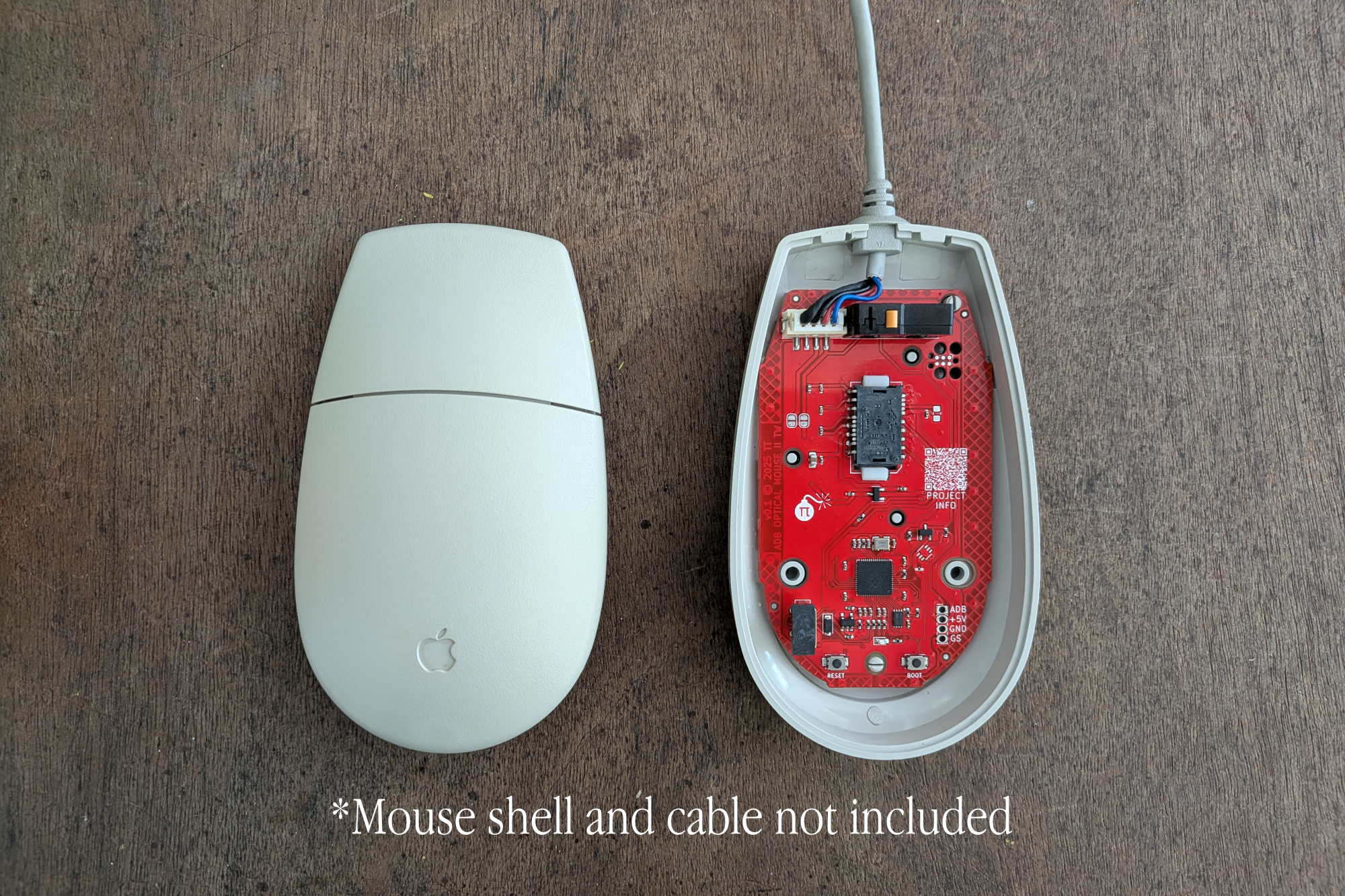
Optical sensor conversion board for the original Apple ADB Mouse II for vintage Macintosh and NeXT computers
This listing offers a replacement board to stealthily update the second generation Apple ADB II ball mouse with an optical sensor. It uses the original ADB port which was introduced with the Apple IIGS, Macintosh SE and Macintosh II and was used until the late 90s. If your mouse has lost its ball or it has stopped working, this board will help get it back into service.
Apple produced several variations of this mouse, so before purchasing, please open your mouse and check if its internal board matches the general shape and internals shown in this listing.
This product is not a USB device, it is intended to be used with vintage machines, though it could be used with ADB to USB adapters if you want a classic ADB mouse with an optical sensor paired with your battle station.
Note: The ADB cable from your mouse is required, and you will need to desolder and solder 4 wires to the new board.
ADB Mouse Shell Compatibility
- ✅ Model M2706 (Made in Taiwan, Manufactured by Logitech) - Tested and fits
Features
- Compatible with ADB protocol as a mouse input device
- High-quality PixArt optical sensor set to 100 counts per inch (CPI) by default for vintage systems (like the original spec)
- Ability to update CPI via host machine or USB-C serial port
- New! A native 68k (vintage) Mac utility app to change the settings
- Ability to adjust speed from a setting of 1 to 6 (5 is the default)
- Buttery smooth mouse movements
- Tested with SE/30, Iici, Quadra 800, Apple IIGS and NeXTStation Turbo with ADB port
- Omron switch for mouse button
- Uses original mouse ball retainer
- Easy firmware updates through drag-and-drop of firmware files
- In-house developed device firmware
- On board QR code to project GitHub page
Included in Your Order
- ADB Optical Mouse board with lens (cable and shell not included)
While You Wait for Your Order to Ship
Consider using this time to restore the original color of your mouse shell. A simple method involves placing the shell in a mason jar with OxiClean and leaving it in the sun (the process used on the mouse shown in this listing).
Select required options above to enable 1-click checkout